Impact Analysis
Understand the blast radius of any service change.
Cross-repo impact analysis is a Hub feature, running at
app.arcanon.dev. The local plugin can answer impact queries within a single project via its MCP server (impact_query,impact_graph) — but it cannot see services owned by teammates until scans are synced to Hub.
Overview
Impact analysis shows you every service affected by a change to a given service. Select a service and see its full dependency tree — upstream (who calls me) and downstream (who do I call).
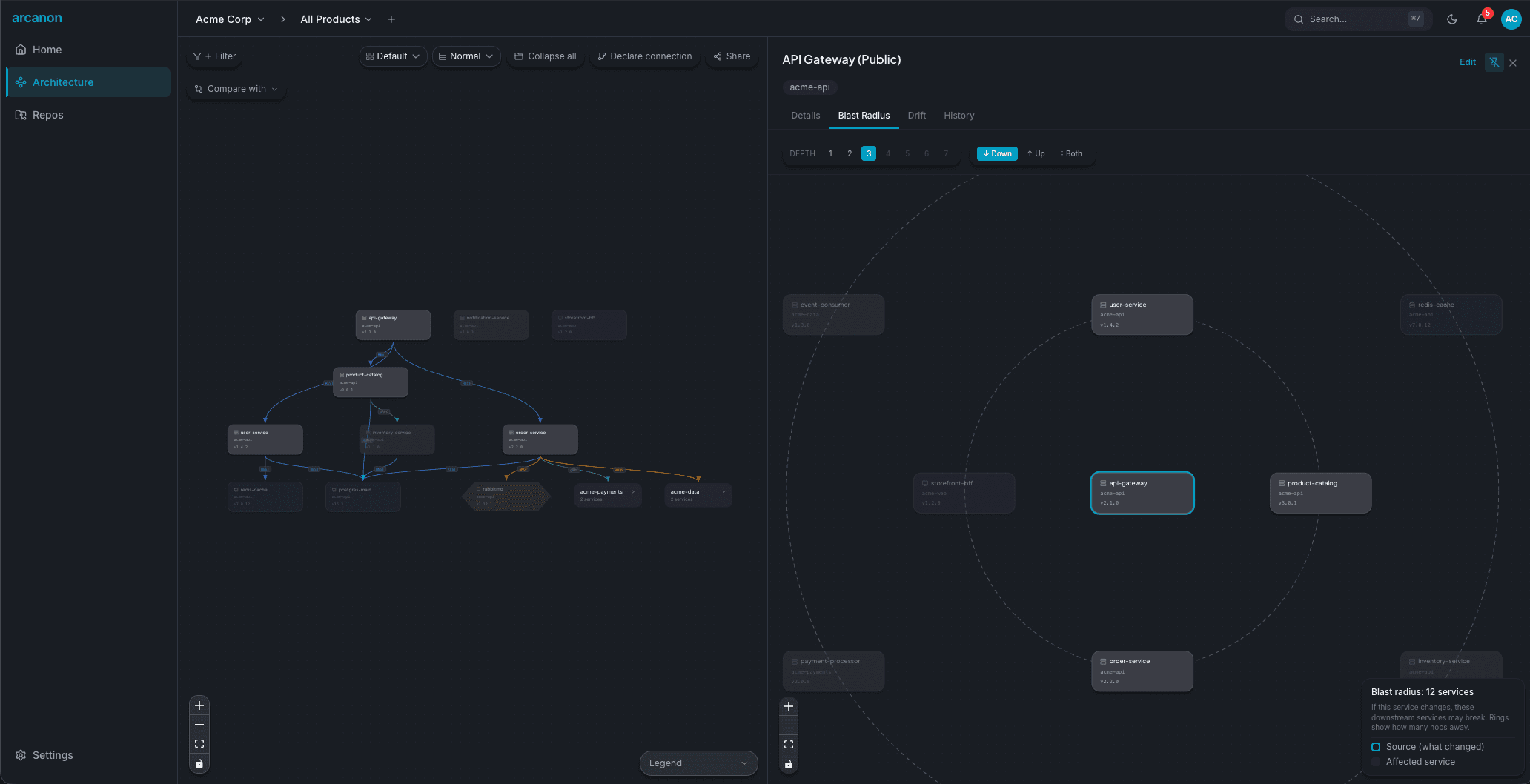
Using impact analysis
- Navigate to the Architecture view
- Click a service node
- Open the Blast Radius tab in the detail panel
The impact view shows:
- Affected services — every service in the dependency chain
- Depth — how many hops away each affected service is
- Direction — upstream (callers), downstream (callees), or both
- Severity — based on connection type and depth
Depth control
Impact analysis supports configurable depth (1–7 hops). Deeper traversal reveals indirect dependencies that may not be obvious:
- Depth 1 — Direct dependencies only
- Depth 3 — Typical blast radius for most changes
- Depth 7 — Full transitive closure (may be noisy for large graphs)
Programmatic access
Query impact from your AI assistant via the bundled MCP server:
impact_query(service="payments-api", direction="downstream", depth=3)
impact_graph(service="payments-api", hops=2)
impact_changed also answers "what will my pending git changes break?" by reading your current working tree — useful before opening a PR.